
What makes a Rust skin valuable: supply, rotations and the market
A skin's supply is fixed the day it leaves the Rust Item Store. Here is how demand, Steam Market quirks and gambling site price feeds turn that supply into the number you see.
 Elin SandbergPayments and security editor
- Published
- Updated
- 9 min read
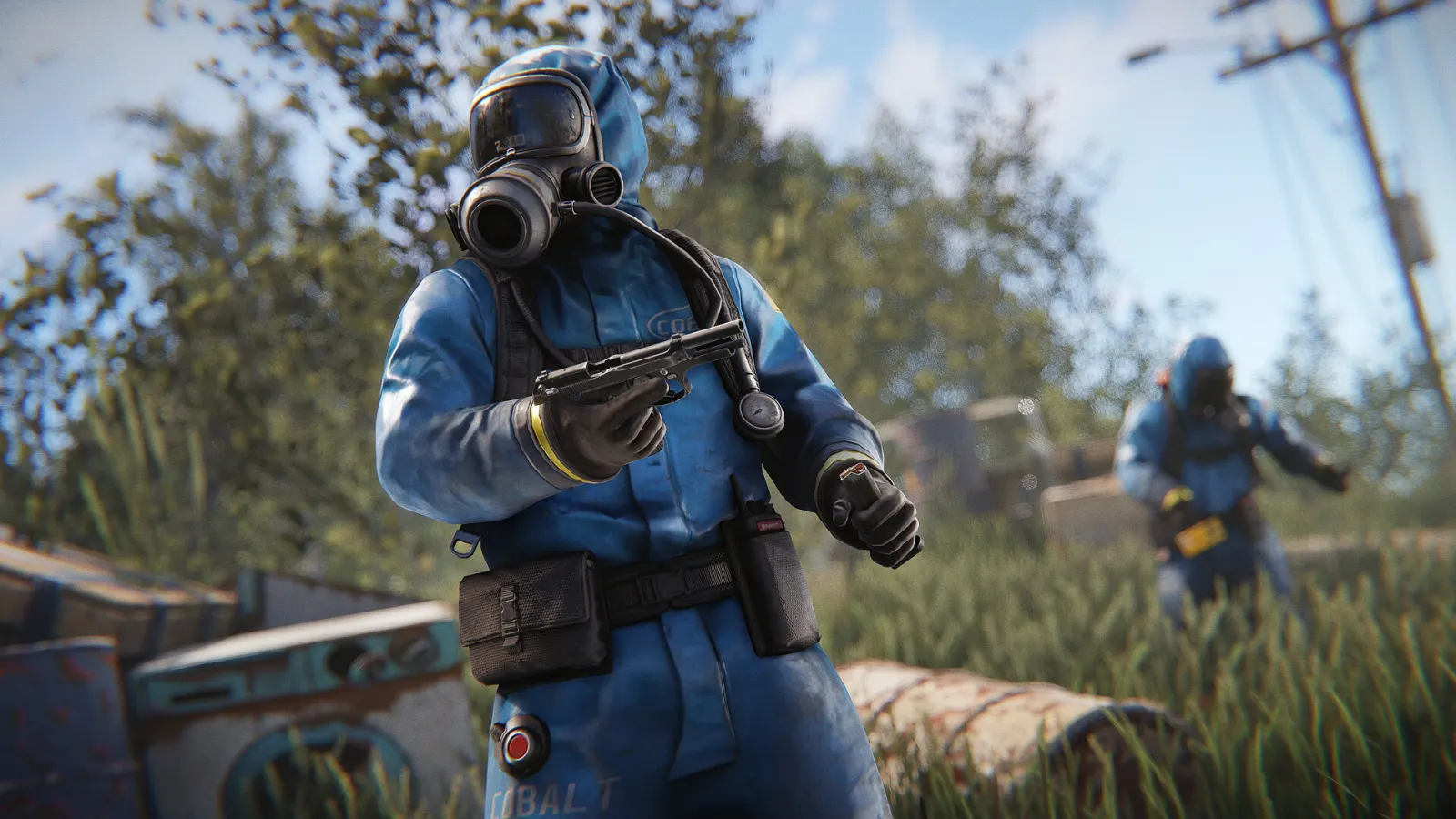
Every tradable Rust skin in your Steam inventory came from a short list of sources, and where it came from decides most of what it is worth. A skin sold in the Item Store for a single rotation has a fixed number of copies, and that number will never go up. A skin handed out during a Twitch drop campaign usually has fewer. Everything else about price, from looks to the item it goes on, sits on top of that supply number.
This guide explains how a Rust skin's value forms, how to read the Steam Community Market without misleading yourself, and how gambling sites turn a skin into a balance figure. We do not quote prices anywhere in it. They move every day, and a number printed in an article goes stale long before the article does.
Where tradable Rust skins come from
Facepunch picks designs from community submissions on the Steam Workshop and sells a rotating selection through the Rust Item Store. Once a skin leaves the store, Facepunch stops selling it. From then on the only way to get a copy is from another player, through a direct trade, the Steam Community Market or a third-party marketplace.
Item Store skins
Most of the market lives here. Each skin is on sale for a limited window, and the number of copies bought during that window becomes its permanent supply. This is why a design that looked forgettable at launch can trade well above a popular one a year later: if few people bought it during its week, few copies exist.
The reverse also holds. A skin that sold in huge numbers because everyone wanted it on launch week can sit at a modest price for years, simply because there are plenty of copies to go around.
Twitch drops
Facepunch has run Twitch drop campaigns in which watching participating streams for a set time earns an item. The only way to get one was to watch and claim it while the campaign ran, so supply depends on how many people did that. Many drop items can be traded and sold, which is why they turn up in gambling site inventories. Before you plan around one, open its description in your Steam inventory and confirm it is both tradable and marketable.
What does not count
Items from Rust's paid DLC packs are tied to your account rather than sitting in your inventory as tradable items, so you cannot trade or deposit them. The same goes for anything whose description says it is not tradable. A gambling site reads your public Steam inventory, and if Steam will not let an item move, the site cannot accept it.
Supply sets the floor, demand sets the price
After a skin's store window closes, its supply is fixed. In practice the supply that is actually for sale shrinks over time. Players quit, accounts go untouched for years, and those copies still exist without ever being listed. Older skins often feel scarcer than their original sales would suggest for exactly this reason.
Scarcity alone does not make a skin expensive, though. Plenty of rare skins are cheap because nobody wants them. Demand is what turns a small supply into a high price, and in Rust demand mostly comes from the following places.
- The item it goes on. Skins for things people craft or loot every wipe, such as the Assault Rifle, the metal facemask and chest plate, sheet metal and garage doors, large wood boxes and sleeping bags, have a much bigger pool of buyers than skins for an item you use once and forget.
- Who gets to see it. A door skin is on display to every group that walks past or raids your base. A skin on a tool is mostly seen by you.
- How it reads in a fight. Players care how a clothing or weapon skin looks at night, in snow and in long grass. Bright details that look great in a store preview can make a skin unpopular with people who play to win.
- Matching sets. When a skin was released as part of a themed set, demand for the complete look pulls on every piece, and the scarcest piece tends to set the pace for the rest.
- Attention. A skin a well-known streamer uses, or one that keeps appearing as the top prize in site cases, gets looked at more. That attention is real demand while it lasts. It also fades.
The skins that hold value best usually score on several of these at once. The Tempered AK, a name most Rust gamblers will recognize from case titles, fits the pattern: it goes on the weapon people use most, everyone you shoot at sees it, and players know it on sight.
Reading the Steam Community Market without fooling yourself
The big number at the top of a market listing is the cheapest asking price right now. It tells you what one seller hopes to get, not what the skin actually sells for. The rest of the page is more useful once you know what to look at.
| What you see | What it tells you | The trap |
|---|---|---|
| Starting at price | The lowest current listing | A single seller can set it, and it is an asking price, not a sale |
| Price history graph | Median prices of completed sales over time | A one-day spike on a handful of sales says very little |
| Volume (hover over the graph) | How many copies sold in each period | A high price with almost no sales is hard to turn into a real exit |
| Buy requests | What someone will pay immediately | The top buy request usually sits below the cheapest listing |
| Your own sell dialog | What you receive after fees | The buyer pays more than you get |
Set the graph to the longest range available and read both lines, price and volume. A skin that has sold steadily for months at a similar median is easy to value. One that trades a few times a week can be pushed around by a small group of sellers, and its price may not survive you trying to sell several copies at once.
A few Steam rules also bend market prices away from what a skin is worth in cash:
- Every Community Market sale carries a Steam fee plus a game fee. The sell dialog shows both the price the buyer pays and the amount you receive, so plan around the second number.
- Money from market sales lands in your Steam Wallet, and Steam Wallet funds cannot be withdrawn to a bank. Buyers pay more in wallet funds than they would in cash, because wallet money can only be spent on Steam. Cash prices on third-party marketplaces often sit below Steam Market prices for the same skin.
- Steam caps the price of a single market listing, so the most expensive skins change hands through direct trades or third-party sites, and the market page understates them.
- Items can carry a date before which they cannot be traded or listed, after certain purchases or account security changes. It shows in the item description, and a skin you cannot move this week is worth less to you this week.
Steam Support publishes the current rules on trade and market holds at help.steampowered.com. They change from time to time, so check there rather than trusting a forum post from two years ago.
How gambling sites put a number on your skin
When you open the deposit screen on a Rust gambling site, every skin in your inventory already has a value next to it. That value comes from the site's own price feed. Most feeds start from market data, Steam and third-party marketplaces, then apply adjustments the site decides on. A site has no obligation to match the Steam Market, and it rarely does.
The gap that matters most is between what a site credits you for a skin and what it charges you to withdraw the same skin. Call it the spread. You can measure it yourself in a couple of minutes:
- Pick a common skin you own that the site also stocks in its withdrawal inventory.
- Note the value the deposit screen offers for it. Do not confirm anything.
- Find the same skin in the withdrawal list and note its price.
- Convert both to dollars using the site's coin rate, if it runs its own currency.
Say a site credits you 100 coins for a skin and charges 112 coins to withdraw an identical copy. That 12-coin gap is the cost of a round trip before you place a single bet. Spreads differ by site and by item, so test the skins you actually hold rather than assuming one site is cheap across the board.
A few other pricing habits are common across the sector:
- Some sites refuse, or value lower, skins with thin trading volume, skins that spiked recently, and skins they already hold too many of.
- Site currencies such as coins and gems do not always convert one-to-one with the dollar. The rate is usually shown on the deposit page or in the site FAQ.
- Case prices are built from the item values the site assigns. If a site prices the low-tier skins in a case generously, the case looks better than it is. Our case battles guide covers how to sanity-check a case's contents.
- Withdrawals are priced at the moment you withdraw. If a skin's site value rose while you held a balance, you pay the new price.
If you plan to sell what you withdraw, pick liquid skins, the high-volume everyday items described above. A balance cashed out into a pile of obscure skins can look healthy on the site and be slow to sell anywhere else. Withdrawing in crypto skips the resale step, with trade-offs of its own that we cover in our crypto guide.
Store rotations, updates and wipe days
Each new Item Store batch adds fresh supply that competes for the same players' money. A new Assault Rifle skin does not make older ones worthless, but it gives buyers another option, and some of the money that would have gone to an older design goes to the new one instead.
Game updates matter more than most people expect. When Facepunch changes how an item works, adds a new one or pushes something out of common use, skins for that item gain or lose buyers. A skin is only as useful as the item it goes on. Facepunch posts update notes on rust.facepunch.com, and they are worth a read if you hold skins for weapons or building parts that get mentioned.
Then there is wipe day. Rust's forced wipe lands on the first Thursday of every month, and servers fill up with returning players. You will hear that skin prices rise around wipes, and that they dip during big Steam sales when people sell skins to fund game purchases. Both claims are plausible. We have not seen data clean enough to treat either as a rule, and we would not time a deposit or a sale around them.
A checklist before you deposit, trade or cash out
- Open the item description in your Steam inventory and confirm it is tradable now, with no pending date.
- Look at the longest price history available and at sales volume, not the Starting at figure.
- Open the sell dialog, note what you would receive after fees, then close it without listing.
- Check what the gambling site credits for the skin and what it charges to withdraw the same item.
- If the site credit is far below the market, keep the skin or sell it somewhere else first.
- Screenshot the deposit value and the trade offer details before you confirm on your phone.
Our guide to depositing and withdrawing skins safely walks through the trade offer itself step by step. If you also hold CS2 items, our comparison of Rust and CS2 skins explains why the two markets price so differently.
A skin is not a savings account
It is tempting to think of a good inventory as money in the bank. Prices are set by a small number of buyers on a market that charges fees and pays out in wallet funds, and a single update can change what an item is worth. Once a skin is deposited on a gambling site it becomes a balance, and the house edge applies to every bet you place with it.
Decide in advance which skins you are prepared to lose, deposit only those, and stop when they are gone. If you notice yourself depositing skins you meant to keep, or chasing a loss with the next item in your inventory, our responsible gambling page lists blocking tools and free support services. For choosing a site in the first place, the comparison table puts the ten sites we review side by side.
Frequently asked questions
Why does a gambling site value my Rust skin lower than the Steam Market?
Steam Market prices are paid in wallet funds that cannot be cashed out, and every site runs its own price feed with its own margin. Comparing the site's deposit value with what it charges to withdraw the same skin shows the real gap.
Do Rust skins have wear or float values like CS2 skins?
No. Rust skins have no wear levels, float values or pattern variations, so every copy of a given skin is identical and trades under one price. That makes them simpler to value than CS2 items.
How long does a skin stay in the Rust Item Store?
Skins are sold for a limited window, typically around a week, before rotating out. After that the only way to get one is from another player through a trade or a marketplace.
Can I cash out money from Rust skins sold on the Steam Market?
No. Steam Market proceeds go to your Steam Wallet, which can only be spent on Steam. Players who want money out use third-party marketplaces or sites that pay out in crypto, each with its own prices and risks.
Are Rust Twitch drop skins tradable?
Many are, but not every drop item. Open the item description in your Steam inventory and check whether it is listed as tradable and marketable before you count on it.
Is a rare Rust skin a good investment?
We do not give investment advice. Skin markets are thin, charge fees and react to game updates, so a rare skin can lose value as easily as it gains it.
Keep reading
Related guides

Rust skins vs CS2 skins for gambling: liquidity, pricing and payouts
CS2 skins come with floats, patterns and a far bigger market. Rust skins have one price per name and a supply fixed at the store. What that means for your deposits and payouts.
Elin Sandberg
8 min read

Rust upgrader explained: why the odds are not what they look like
Upgrader win chance is the value ratio with the house edge taken off, so every target costs the same on average. Here is the maths, why laddering upgrades is worse, and how pricing moves the real odds.
 Tomás Herrera
8 min read
Tomás Herrera
8 min read
Gambling inside Rust: Bandit Camp's wheel, slots, blackjack and poker
The Big Wheel, slot machines, blackjack and poker at Bandit Camp all run on scrap, and scrap disappears at wipe. How each game works, what the wheel really pays, and when a spin is worth it.
 Daniel Kovač
8 min read
Daniel Kovač
8 min read